Rental Genome Map Visualization
Location Intelligence platform providing data-driven insights for Single-Family investors.
B2B
0-1
Web Map App
Mapbox
Industry
Real Estate
Duration
1 month
Responsibilities
User Research
Geospatial Data Visualization
Map Interaction Design
Rapid Prototyping
Usability Testing
Quality Assurance
Team
1x Product Designer
1x Product Manager
4x Engineers
Overview
Business Opportunity
Turning 1B+ proprietary data points into actionable insights
Roofstock’s 1B+ proprietary data points represented a major competitive advantage, but the insights weren’t accessible. The business opportunity was to unlock this asset by making the data visible, interpretable, and actionable for investors and analysts.
The Solution & Impacts
Interactive mapping solution to guide smarter investment decisions
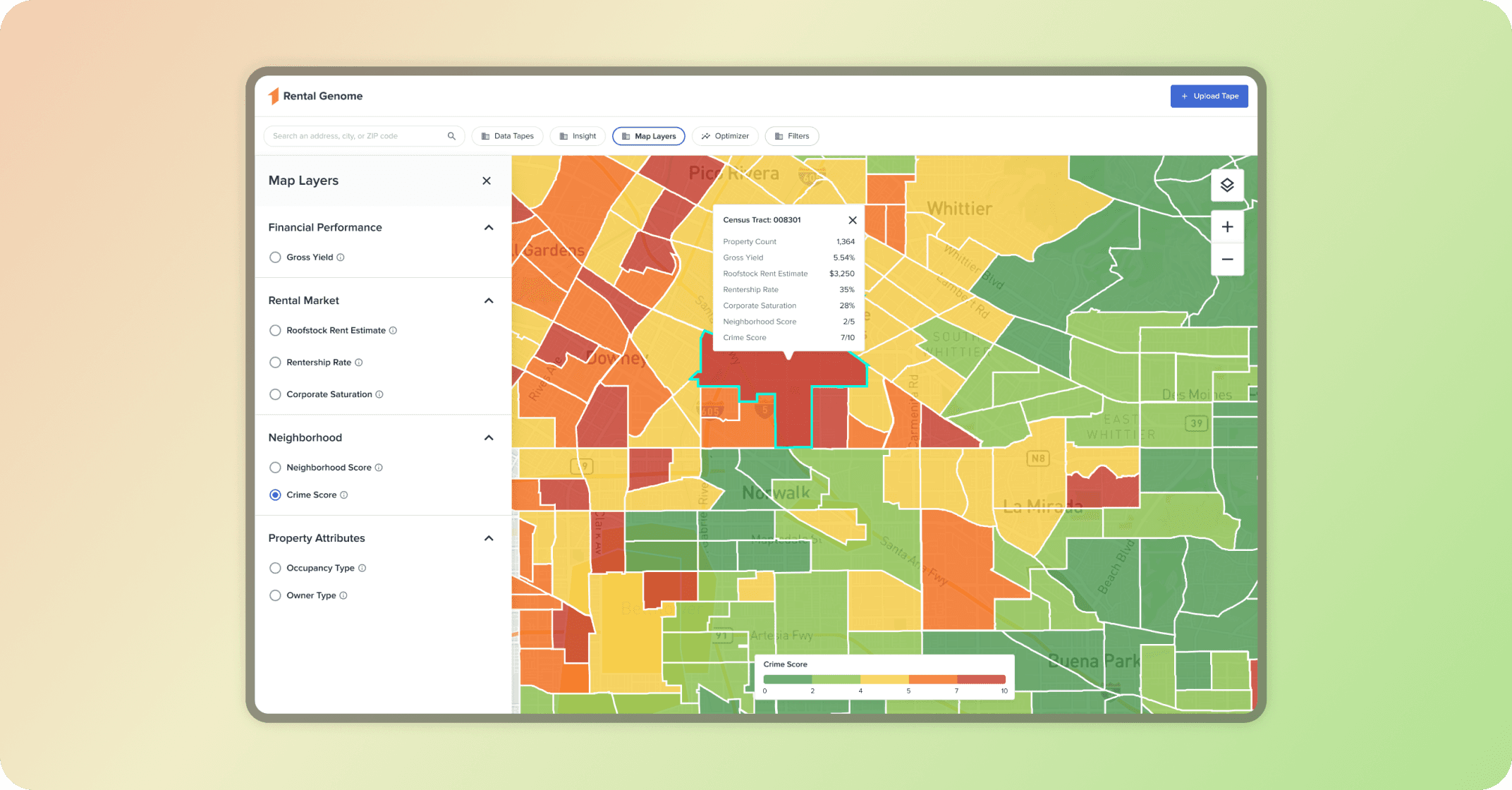
We developed a Map Visualization Strategy that transforms Roofstock’s data into an interactive mapping solution, providing investors with the clarity and confidence they need to explore new markets, benchmark opportunities, and expand existing portfolios.
Results
1 B+
Data points on interactive map
$3B+
Assets being supported for investment decision
2x
Faster Analysis
Solution
Select a map layer to display the data and interact with the map.
Design process
Discovery & Definition
Conducted User & Stakeholder Interviews
Mapped user decision-making workflows
Analyzed 5 competitor platforms
Prioritized key data requirements
Defined success metrics and KPIs
Map Data Visualization
Collaborated with engineers on technical exploration in Mapbox
Tested 4 clustering approaches with 1,000+ datasets
Evaluated different map styles
Defined map interactions
Prototype
Interactive Prototyping (Figma)
Cross-Functional Alignment
Validated choropleth designs
Tested color schemes
Design System Contribution
Delivery & Development
Developer Collaboration
Edge Case & State Validation
Comprehensive Test Case Development
Responsive QA & Bug Triage
Research & Insight
Key Research Insights
How do investors make decisions?
Location Drives Investment Strategy
Investors structure their decisions from market → neighborhood → property.
Fragmented Tools Slow Decision-Making
Investors currently switch between multiple platforms to gather data, slows down their evaluation process.
Transparency in Data Sources
Trust is critical. Investors want to know exactly where each dataset comes from, how often it is updated, and whether it is reliable.
Comprehensive Property, Market & Neighborhood Data
Investors need a holistic view—market trends, neighborhood insights, rental performance, before they can make confident decisions.
What data investors care about most?
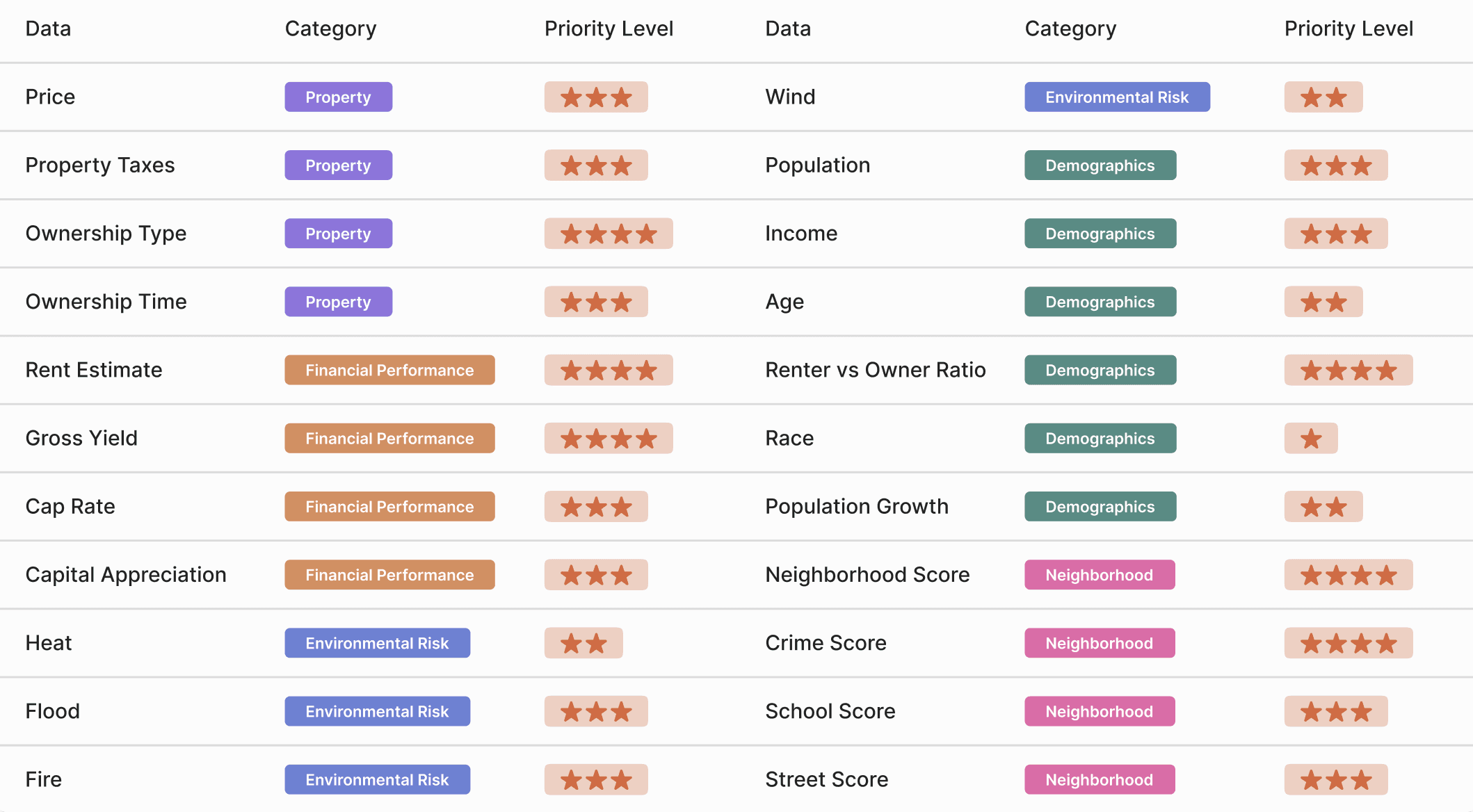
User interviews revealed the most critical data points for property evaluation. I categorized these findings, collaborated with the internal team to assess data availability and implementation effort, then created a prioritization matrix. Features rated 4+ stars (high user value, feasible development) were selected for the MVP launch.
Map Visualization Strategy
Map Style Selection
Visualizing thousands of properties with a Choropleth map
The biggest challenge was transforming thousands of dense property data points into a single, actionable, and scannable map view. I partnered closely with engineering to rapidly test visualization methods in Mapbox Studio—evaluating Dot Density, Heat, Hexagon, and Choropleth styles. Through rigorous testing against user clarity and technical performance, we concluded that Choropleth maps were the most intuitive and familiar format for investors, significantly boosting data comprehension.
Dot Density Map
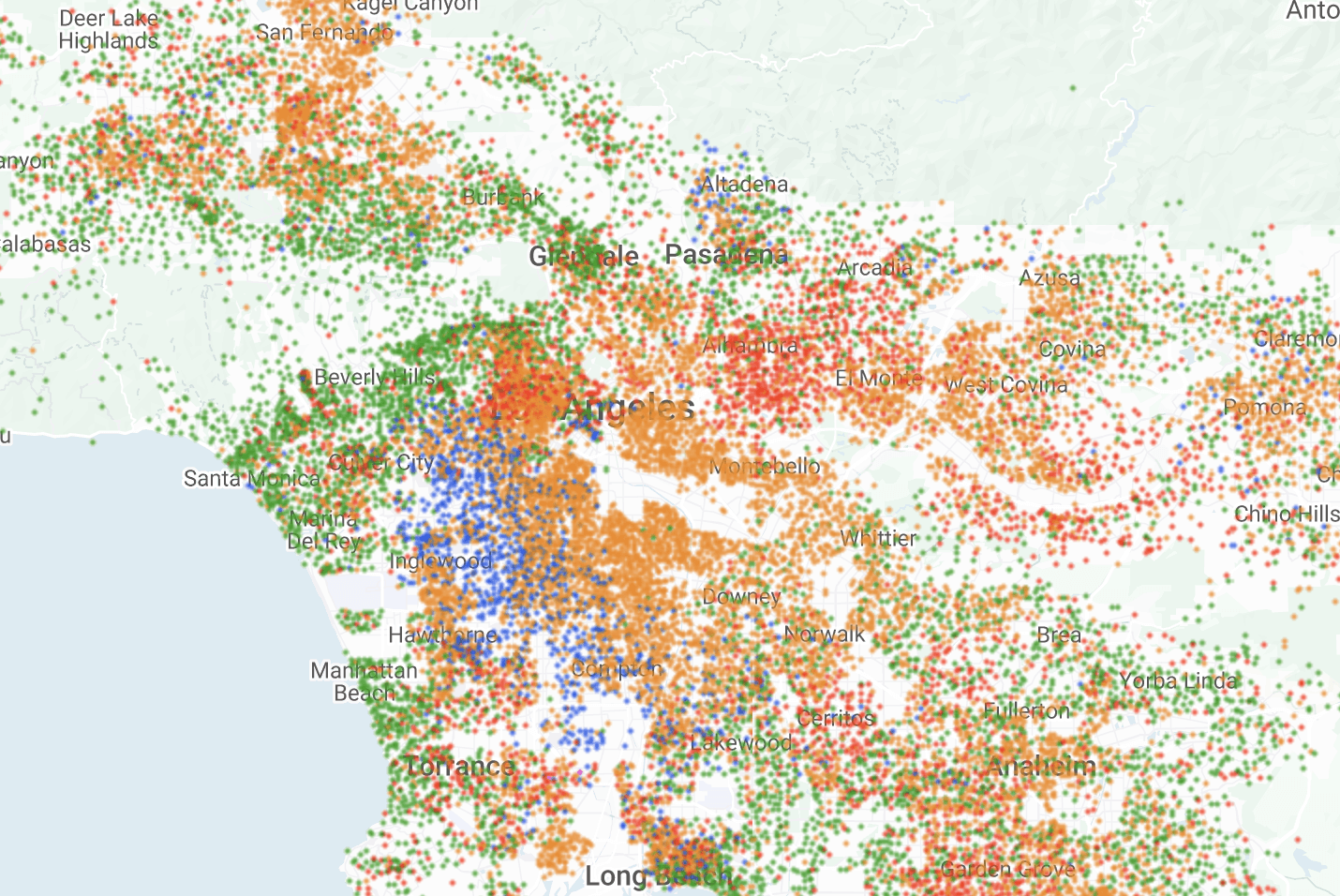
Pro: Shows raw property concentration at a glance.
Con: Too chaotic for pattern recognition at scale.
Hexagon Map
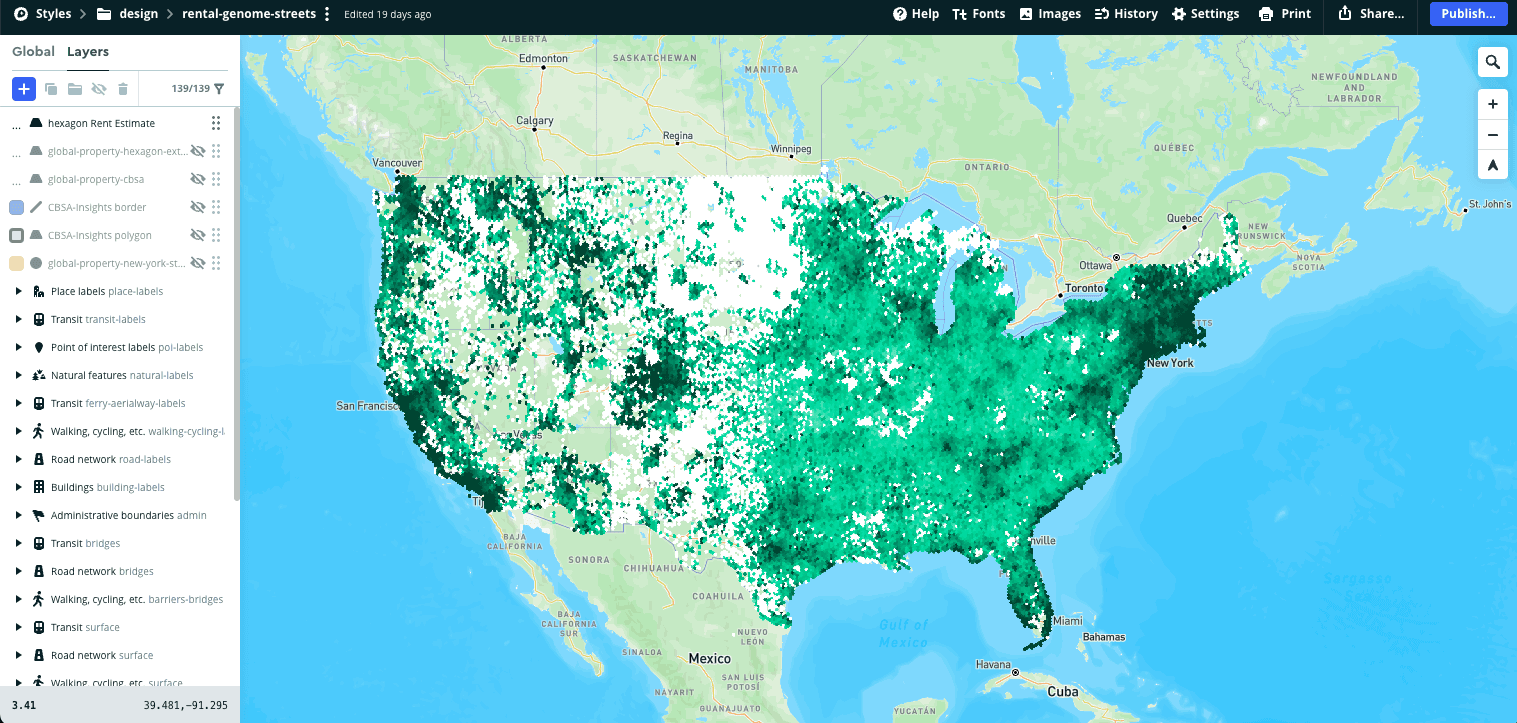
Pro: Eliminates boundary bias with uniform grid.
Con: Unfamiliar format confuses non-technical users.
Heat Map
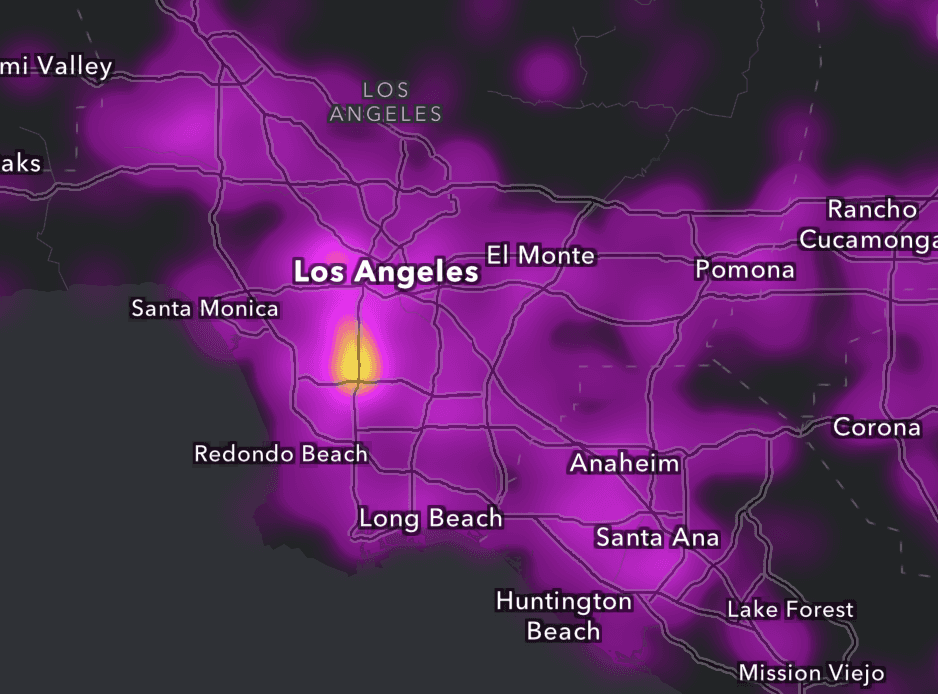
Pro: Instantly reveals high-density hotspots.
Con: No clear boundaries for actionable decisions.
Choropleth Map
Selected
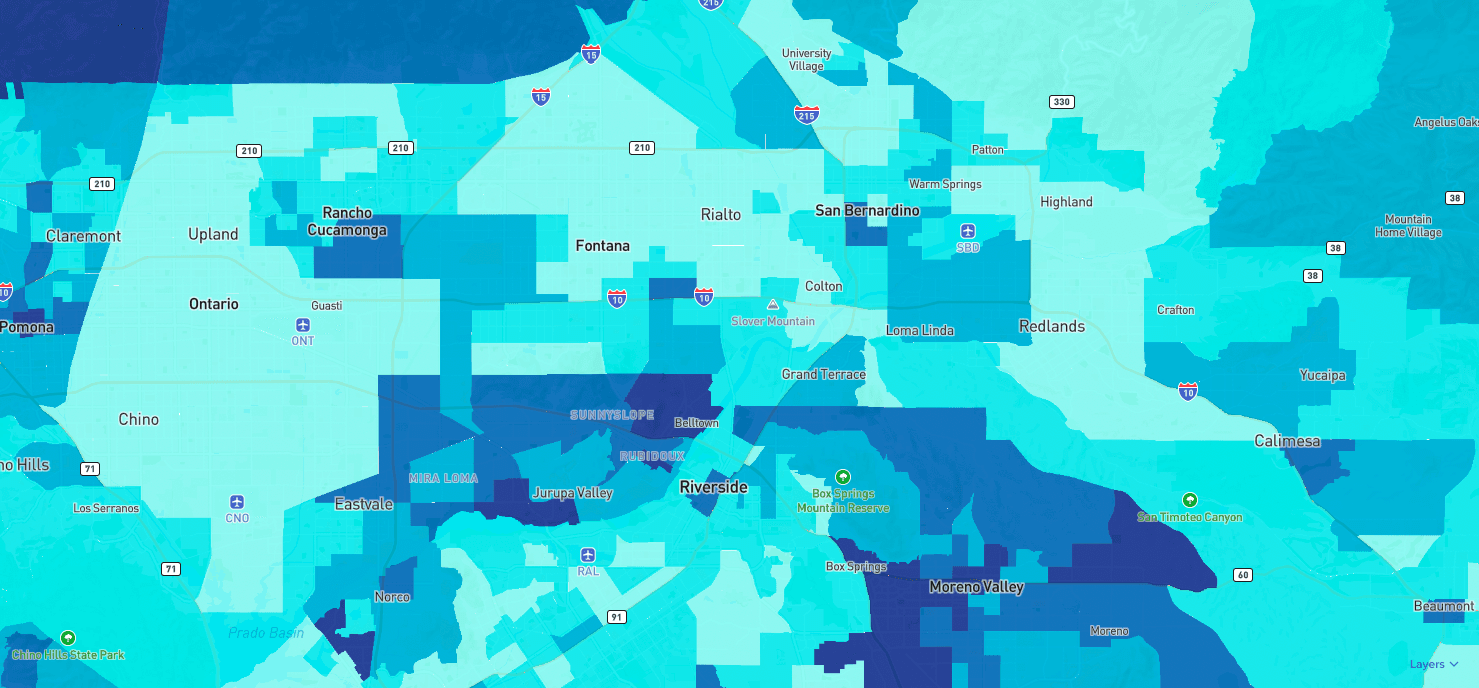
Pro: Familiar geographic boundaries.
Con: Visual bias toward large, sparse areas.
User Testing Feedback
Engineering Feasibility
Strategic Map Visualization Decisions
Diverging vs. sequential color schemes
I iterated from sequential to diverging color schemes after aligning with the PM, because diverging palettes reveal deviation from meaningful thresholds (like market average or "moderate" rating), not just magnitude. This helps investors instantly identify areas performing above or below benchmarks, enabling faster comparative analysis.
Sequential Color Scheme
Pro: Works well when the dataset has one direction of meaning.
Con: Colors can blur together, making it difficult to differentiate.
Diverging Color Scheme
Selected
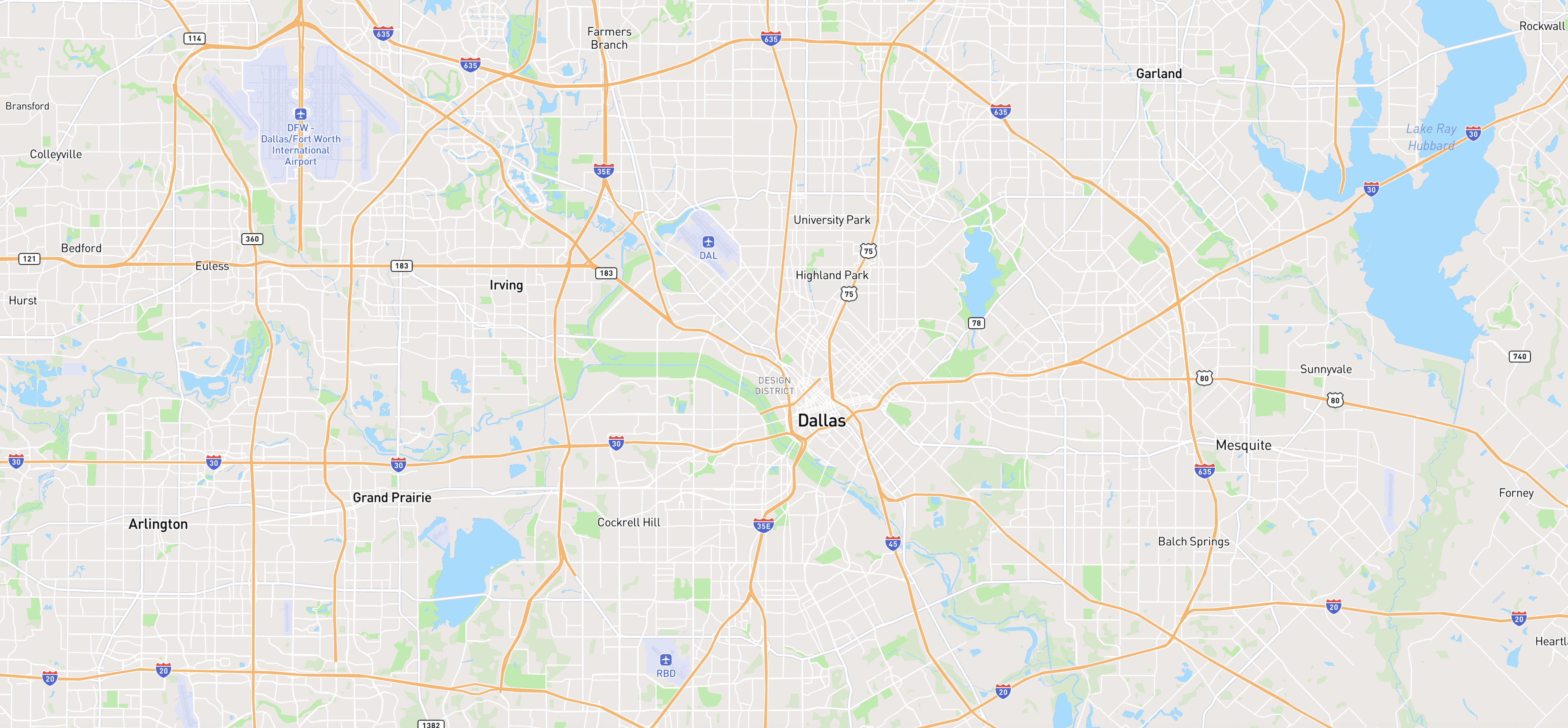
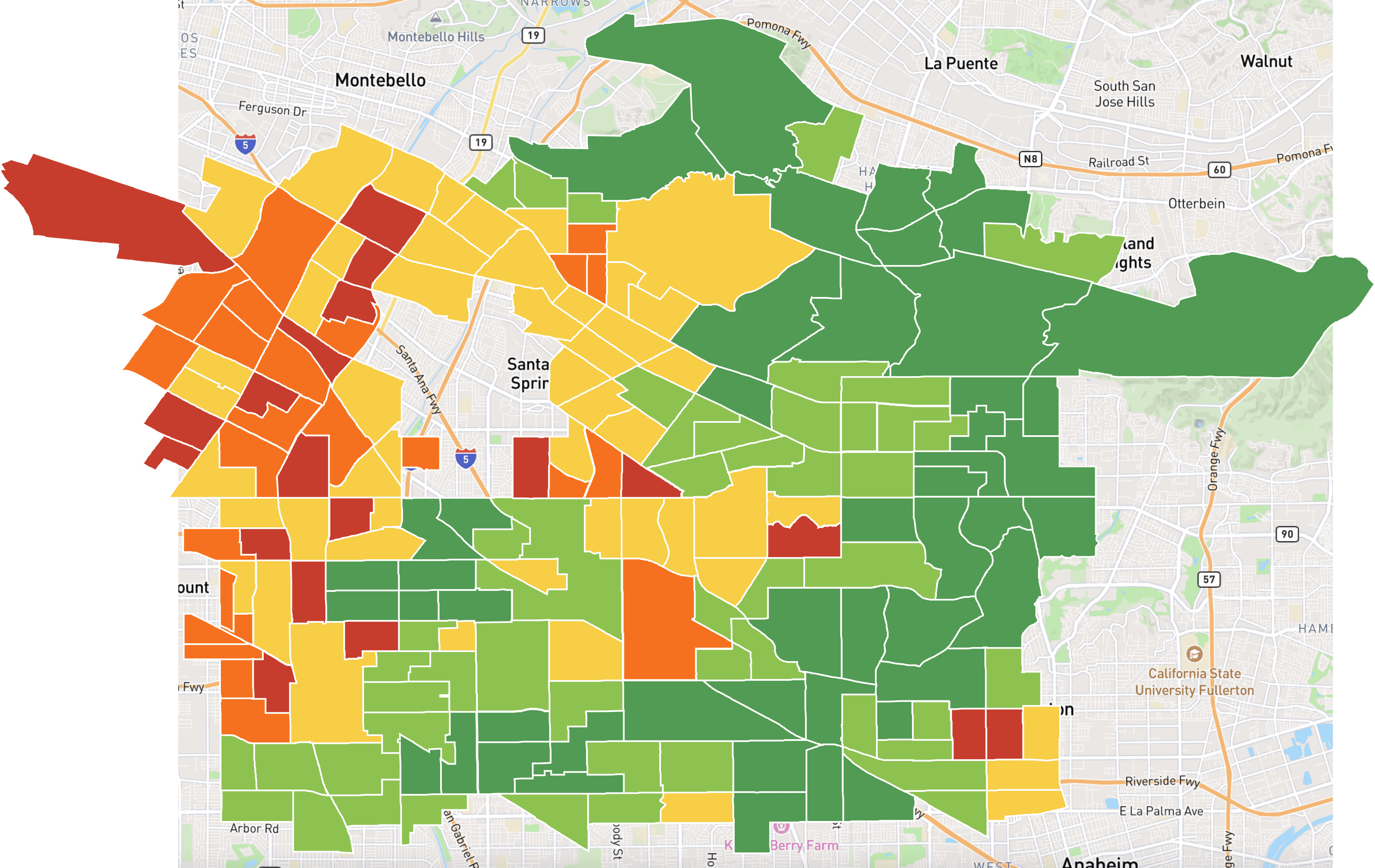
Pro: Highlights deviation from a meaningful midpoint, makes “good vs. bad” patterns instantly visible.
Con: Slightly more visually intense.
PM Feedback
Competative Analysis
Color choice
I chose a red-to-green diverging palette based on internal design team discussion, because investors naturally interpret green as positive and red as negative, matching financial and real-estate dashboards. This direction improved instant comprehension and reduced the need to rely on the legend.
5 vs. 7 classification levels
User testing showed investors made decisions faster with 5 classification levels compared to 7 levels. With fewer classes, users spent less time cross-referencing the legend and could identify patterns through rapid visual scanning. Five levels also align with cognitive science research on optimal pattern recognition.
7 Classification Levels Map Legend
Crime Score
0
2
4
5
6
7
8
10
Pro: Higher data precision.
Con: Higher cognitive load.
5 Classification Levels Map Legend
Selected
Crime Score
0
2
4
5
7
10
Pro: Easier to read at a glance.
Con: Less granular detail.
User Testing Feedback
Map Controls
Map Layer Activation
Choosing a scalable pattern for map layer exploration
To find the most intuitive way for users to explore map data, I prototyped and tested four interaction patterns. The left-side panel emerged as the strongest solution—users found it familiar, and it aligned with existing UI components, reducing development time, and it also easily supports future expansion of map layer data.
Option 1: Dropdown
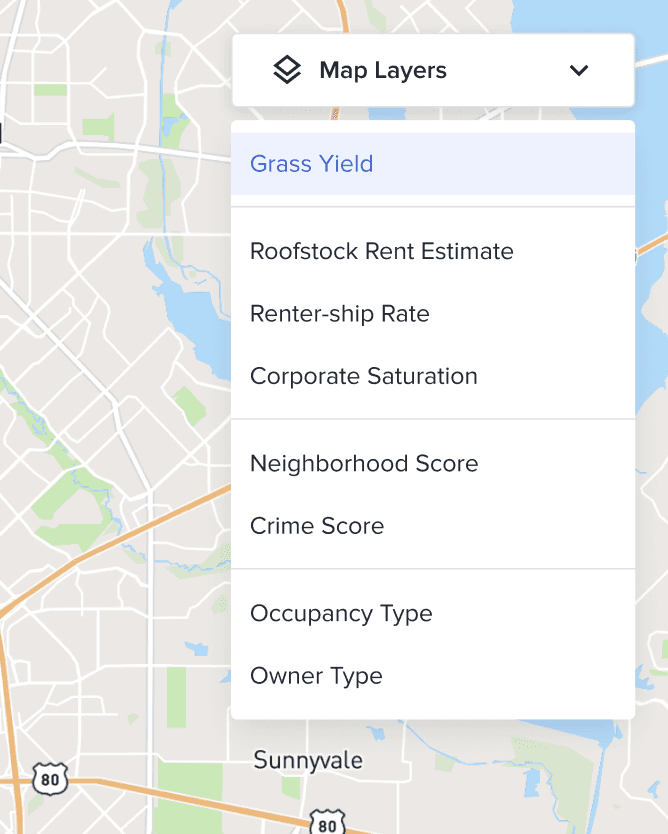
Pro: Compact and familiar UI pattern.
Con: Hard to scan long lists.
Option 2: Bottom Toolbar
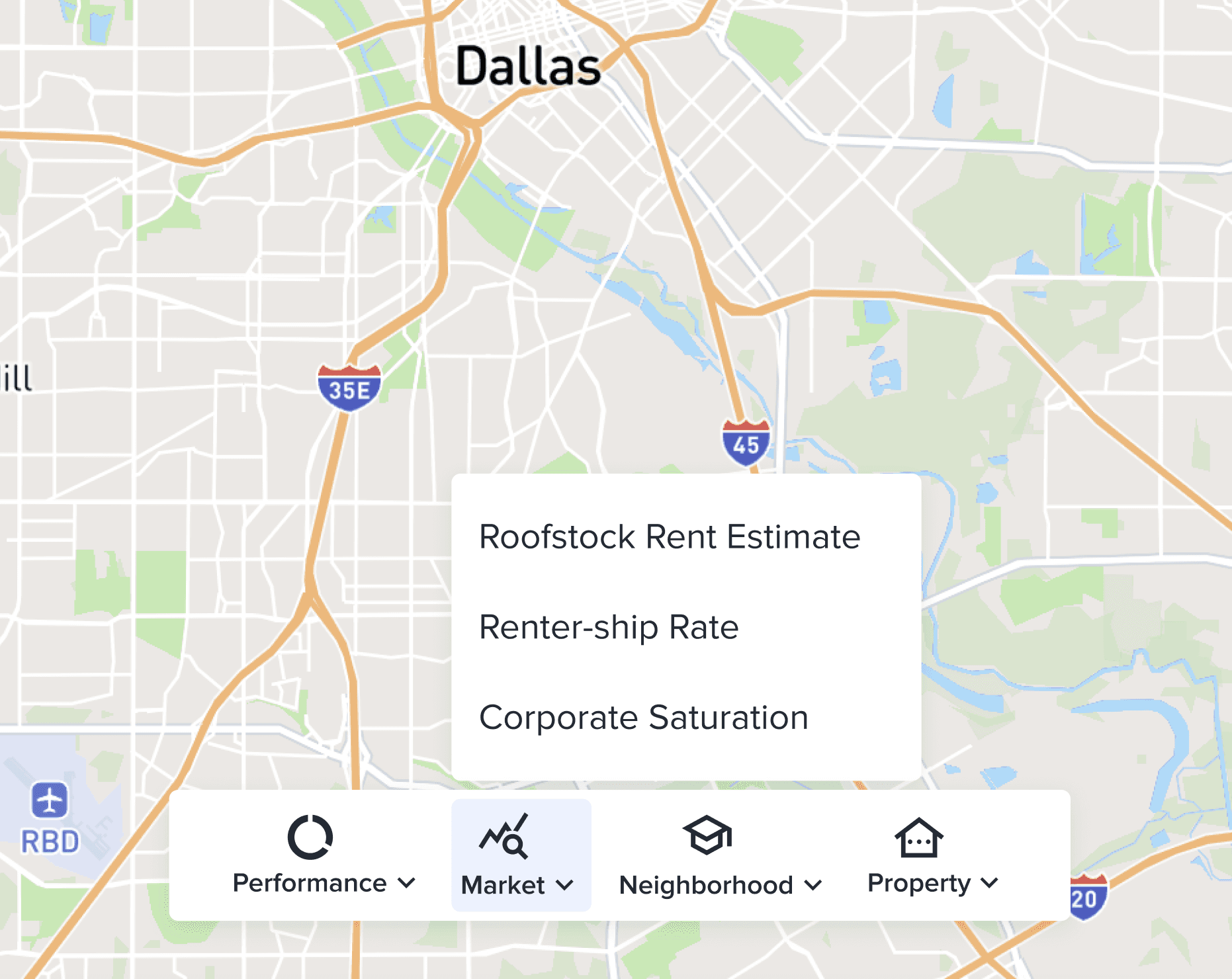
Pro: Provides categorized entry points.
Con: Unfamiliar format confuses non-technical users.
Option 3: Overlay Panel
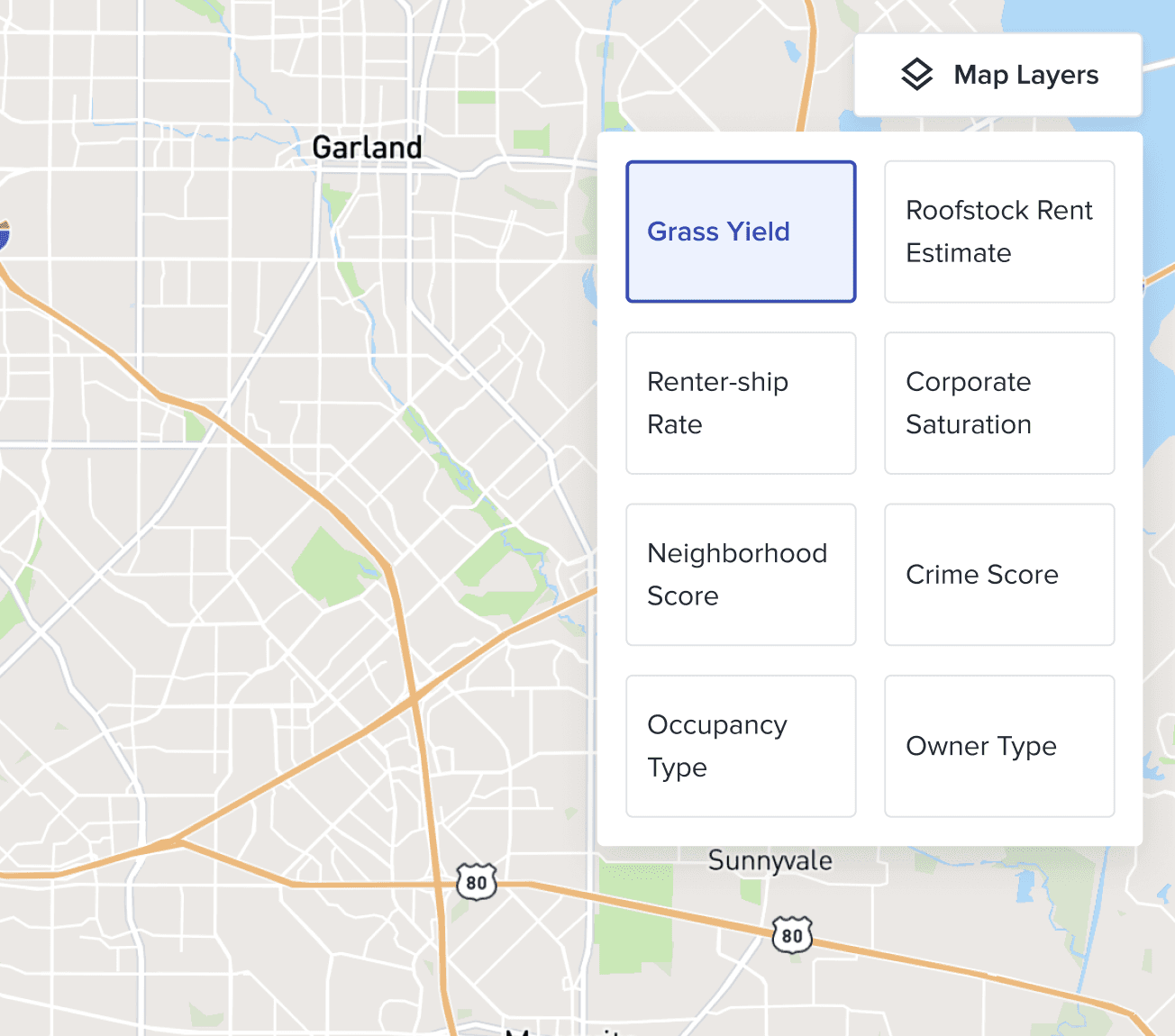
Pro: High scannability, cards help visually distinguish different datasets.
Con: Covers a large portion of the map.
Option 4: Left-side Panel
Selected
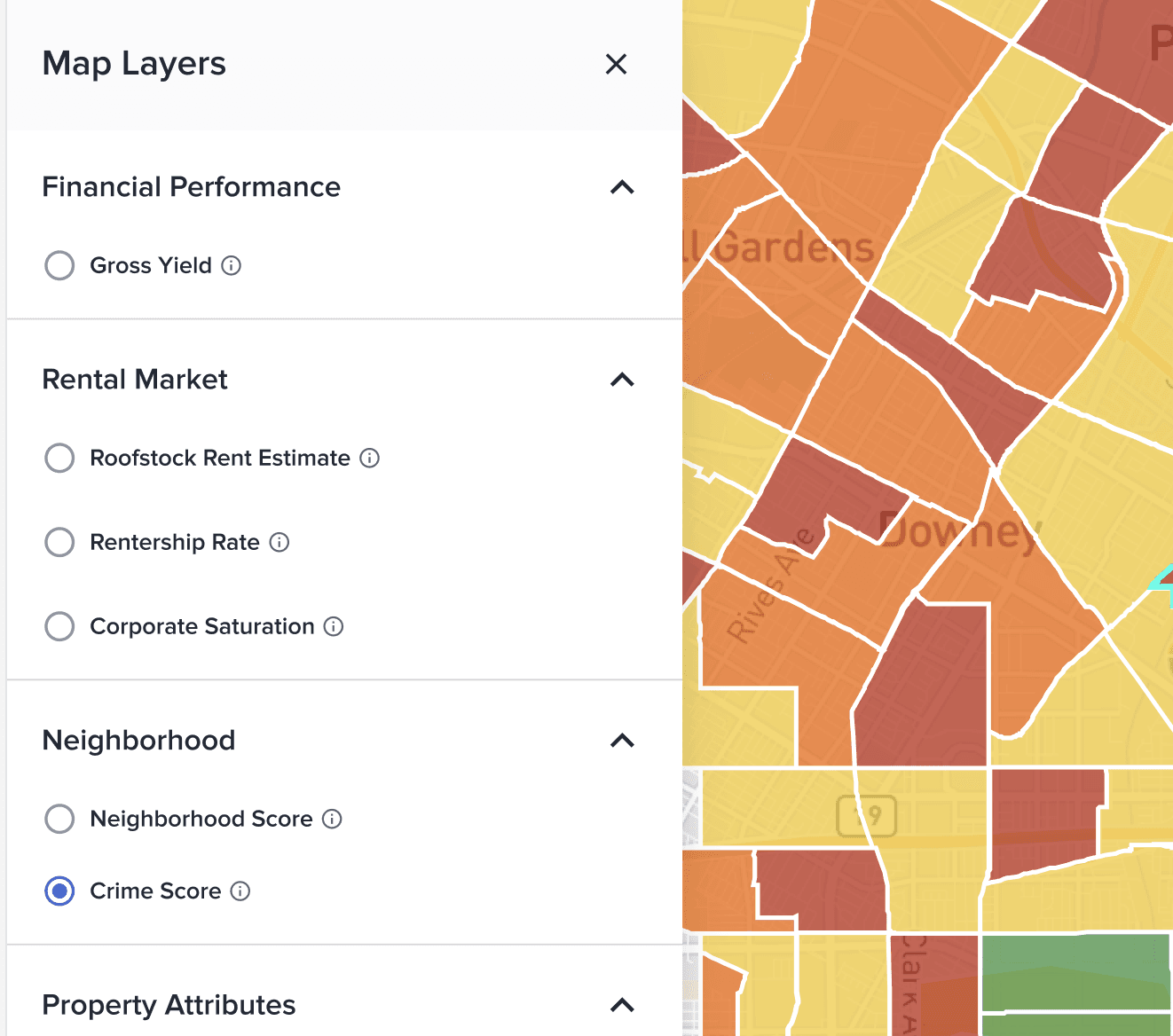
Pro: Familiar interaction pattern used in GIS platforms, supports future expansion of layers.
Con: Reduces horizontal map space slightly.
Engineering Feasibility
Competative Analysis
Map controls
Map Legend
Crime Score
0
2
4
5
7
10
Popups on Hover
Crime Score
7/10
Popups on Click
Census Tract: 008301
Property Count
1,364
Grass Yield
5.54%
Roofstock Rent Est.
$3,250
Renter-ship Rate
35%
Corporate Saturation
28%
Neighborhood Score
2/5
Crime Score
7/10
Basemap Switcher & Zoom Controls
Streets
Satellite
Light
Dark
Retrospective
Data visualization isn't about showing everything—it's about revealing what matters
We had over a billion data points for this map visualization project, and my first instinct was 'let's show investors as much as we can.' But when I actually talked to users, they weren't asking for more data—they were asking for faster ways to spot patterns and make decisions.
That totally shifted how I approached it. I tested four different visualization styles, and ended up choosing choropleth maps—not because they displayed the most information, but because investors already understood how to read geographic boundaries. Same thing with colors. I dropped from 7 color levels down to 5 after testing, because people made faster calls with fewer options.
The big takeaway for me was that good data viz isn't about cramming in everything you've got—it's about making the right insight obvious.
Rapid technical collaboration beats endless design iteration
For the Map Visualization, I had to choose between 4 visualization approaches. Mocking them all in Figma would've taken weeks and wouldn't show real performance with 1,000+ properties.
Instead, I partnered with engineering to prototype directly in Mapbox Studio. We tested all 4 styles with actual datasets in days. This revealed insights I'd never catch in static designs—like how hexagon maps performed well technically but confused users, while choropleth maps felt immediately familiar.
This taught me that for data-heavy projects, tight engineering collaboration during exploration accelerates better decisions. Working shoulder-to-shoulder meant we evaluated user value and technical feasibility simultaneously, shortening our timeline and creating a more scalable solution.